
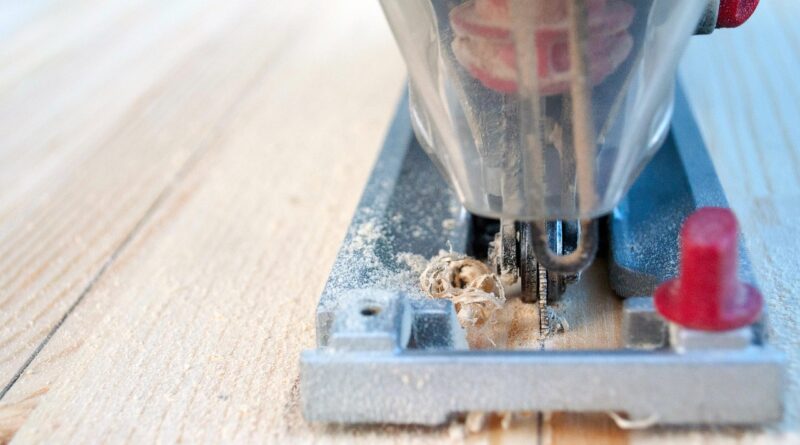
Which Jig Saw Reviews Actually Help You Pick the Right Tool?
If you are reading jig saw reviews before a tool order, do not chase the loudest pick. Match the saw with the work you do most often, whether that is trimming laminate, cutting sink openings, shaping plywood, or handling repair jobs around the house. For more tool comparisons, see the Taodili Reviews section.
A jig saw looks simple until the cut moves off the line, the blade burns, or the shoe marks a finished panel. Useful reviews should help you avoid those problems. They need to cover control, blade support, line visibility, vibration, and the small points you notice after ten minutes of cutting, not only the motor rating on the box.
What Should Good Jig Saw Reviews Tell You?
A useful review starts with actual cutting work. A jig saw that feels fine on thin pine may act very differently in 3/4-inch plywood, countertop material, or metal sheet. The better review checks how the saw starts, tracks, turns, and finishes the cut.
Real Cutting Tasks Before Feature Lists
Look for reviews that state the material, thickness, blade type, and cut shape. A straight rip in plywood is not the same job as a tight curve for a wall outlet, so those details matter.
If a review says a saw is “powerful” but never tells you what it cut, that rating does not tell you much. More useful reviews mention normal shop jobs, like cutting a 2-inch radius curve, trimming 1/2-inch plywood, or following a scribed line on flooring.
Control, Vibration, and Line Visibility
Pay attention to how steady the saw feels in the stock. Strong vibration makes the line harder to follow, and it also tires your hand. A clear dust blower, bright LED, and solid shoe can make a mid-range motor feel easier to control. This is not a small issue on finished work. A blocked sightline can spoil a careful pencil mark faster than a weak motor can.
Safety Notes Backed by Public Data
Safety is not just fine print in the manual. CPSC’s 2024 NEISS Data Highlights reported an estimated 84,030 emergency department treated injuries in the United States and territories tied to the Power Home Workshop Saws product group. That figure covers saws as a group, not jig saws only, but it still shows why blade control, clamping, and personal protection should appear in any serious review. (cpsc.gov)
Which Features Matter Most on a Jig Saw?
Feature lists can get long, and some points matter more than others. For most buyers, the main items are speed control, orbital action, blade change design, shoe quality, and grip shape. Extra functions can help, but these parts decide how the saw cuts in daily use.
Variable Speed for Wood, Metal, and Plastic
Variable speed lets you slow down for metal, plastic, and delicate finishes. You can then raise the speed for general wood cuts. A trigger-only setup feels easy for short cuts. A dial gives a steadier speed on longer lines. If you cut mixed materials, choose a saw that gives low-speed control without feeling jumpy.
Orbital Action for Faster Wood Cuts
Orbital action moves the blade slightly forward on the upstroke, so the blade bites harder. It helps with rough wood and faster cuts, but it should not be used for every job. WOOD Magazine notes that increasing orbital action can make a jig saw cut more aggressively, while no orbital action tends to give the cleanest cuts. That fits normal shop experience. Fast framing cuts can use orbit, while fine laminate cuts usually should not. (woodmagazine.com)
Tool Free Blade Changes and Bevel Shoes
A tool free blade clamp saves time and keeps your fingers farther from a hot blade. A sturdy bevel shoe matters if you cut angled trim, stair parts, or beveled panel edges. Some shoes lock firmly, while others can shift after a bump. That movement shows up quickly on angled cuts. DEWALT’s current jig saw lineup, for example, highlights variable speed models, cordless and corded options, plus orbital action and bevel features across different tools. (dewalt.com)
Should You Buy a Corded or Cordless Jig Saw?
This choice depends on how you work. Corded saws suit long bench sessions and buyers watching cost. Cordless saws are easier when you move around a job, climb stairs, or work away from an outlet. Neither style is right for every buyer.
Corded Power for Long Shop Sessions
A corded jig saw is still a sensible choice for steady shop work. You get stable power, a lower upfront cost, and no battery planning.
If you cut shelves, templates, and plywood at a bench, the cord is usually only a small bother. Keep it behind the cut line. A cord dragged across a pencil mark is an old problem, but it still happens in real work.
Cordless Convenience for Repair Work
A cordless jig saw is easier for sink cutouts, cabinet fitting, outdoor trim, and punch-list work. You can set the tool down, shift the panel, and move without looking for another outlet.
The tradeoff is weight. A battery adds bulk near your hand or behind the motor, so a quick store test is useful. Pick it up, tilt it, and imagine a ceiling cut. That simple test tells you more than the spec sheet in a few seconds.
Battery Platform and Charger Fit
If you already own batteries from one tool line, staying in that platform often makes sense. Buying a bare tool can save money, but only if your battery has enough capacity for saw work.
Public, apples-to-apples runtime data is hard to verify because brands use different batteries, blades, materials, and test methods. Treat runtime claims as useful clues, not fixed promises.
How Do Blades Change Every Jig Saw Review?
The blade can make a good saw look bad, and it can make a basic saw cut better than expected. When reviews ignore blade choice, the result is incomplete. Judge the tool and the blade as a working pair.
TPI Choice Shapes Speed and Finish
TPI means teeth per inch. Lower TPI cuts faster but rougher. Higher TPI cuts slower but cleaner.
Starrett’s public blade guidance says higher TPI options are the choice when the goal is smooth, clean cuts in wood. That is why a 6 TPI rough blade belongs in framing lumber, while fine plywood and laminate often need more teeth and a slower feed. (starrett.com)
Blade Material Must Match the Stock
Use wood blades for wood, metal blades for metal, and specialty blades for laminate, plastic, tile, or fiber cement. A blade made for nail-embedded wood may cut slower in clean pine.
A fine metal blade can clog and overheat in thick wood. Reviews should name the blade, because “the saw burned the cut” often means the blade was wrong or dull. See also: Tool Categories.
Reverse and Clean Cut Blades for Laminate
Laminate and veneered plywood show blade mistakes quickly. A reverse-tooth or clean-cut blade helps reduce top-side chipping.
You can also place painter’s tape along the line, support the sheet well, and cut with the finished face positioned for the blade tooth direction. It is plain advice, but it saves visible panels from chipped edges.
What Mistakes Make a Good Jig Saw Feel Bad?
Many poor cuts come from setup, not from the saw itself. Before blaming the tool, check feed pressure, support, blade condition, and the orbit setting. A jig saw works better with patience than with force.
Pushing Faster Than the Blade Can Cut
If you shove the saw, the blade bends. Then the top of the cut follows the line, but the bottom drifts away.
This is the common “why is my cut angled?” problem. Let the teeth do the work. Keep steady forward pressure, but do not force the tool like a circular saw.
Unsupported Sheet Goods and Chatter
Plywood, MDF, and plastic sheet need support close to the cut. If the panel bounces, the blade chatters, the edge chips, and the saw feels rough.
Use sawhorses, foam board, or scrap blocks so both sides of the cut stay stable. Clamp the work when you can. OSHA’s rule for portable powered tools specifically includes jig saws in the hand-held tool category, and it states that operators and assistants using tools must be protected by eye protection. (osha.gov)
Wrong Orbit Setting on Tight Curves
For tight curves, turn orbit down or off. A hard orbital setting pushes the blade forward, which fights the turn and can widen the kerf.
For a cleaner curve, use a narrow scrolling blade, lower the speed a little, and rotate the saw with care. If the curve is very tight, drill a relief hole or make small waste cuts first.
How Should You Compare Jig Saws Before Buying?
A fair comparison uses the same blade style, same material, and same cut pattern. Without that, the review becomes more like a personal feeling report. Use a simple scorecard that matches your actual projects.
A Simple Test Cut Checklist
Test each saw in the same way, or the comparison will not be fair. Write down what happens at the cut, not just how the tool feels when you pick it up.
- Cut a straight 12-inch line in 3/4-inch plywood and check bottom-side drift.
- Cut a 3-inch circle or tight curve and check how smoothly the saw turns.
- Try a slow start near an edge and see if the blade jumps.
- Check blade change with gloves nearby, not bare hands only.
- Bevel the shoe to 45 degrees and test whether it locks firmly.
A Fair Scorecard for Reviews
Rate each saw on control, cut quality, vibration, line visibility, blade change, shoe stability, dust handling, and value. Give more weight to the points you use most.
A cabinet installer may care most about line visibility and clean cuts. A remodeler may care more about cordless movement and fast blade swaps. A hobby user may prefer low vibration and a fair price.
Best Picks by User Type
For occasional DIY work, a corded variable-speed jig saw with tool free blade change is usually enough. For remodeling, choose cordless if you already own the battery platform and need to move quickly around a house.
For cleaner woodworking, put low vibration, a strong blade guide, a stable shoe, and good dust control near the top of the list. The most expensive saw is not always the right one. In many jobs, the right blade and a steady hand matter more.
FAQ
Q1: Are Jig Saw Reviews Useful if They Do Not Test Blades? A: Only partly. The blade affects speed, finish, drift, and heat, so a review without blade details leaves out a major part of the result.
Q2: Is a Cordless Jig Saw Strong Enough for Plywood? A: Yes, many cordless models handle plywood well with a sharp wood blade and a charged battery. For long shop sessions, corded still keeps the work simple.
Q3: What Feature Matters Most for Clean Cuts? A: Blade choice comes first, followed by low vibration, clear line visibility, and a stable shoe. Turn orbital action down for cleaner finished edges.
Q4: Why Does My Jig Saw Cut at an Angle? A: The usual causes are pushing too hard, using a dull or thin blade, cutting thick stock too fast, or letting the workpiece vibrate.
Q5: Should Beginners Buy the Most Expensive Jig Saw? A: Not always. A mid-range variable-speed model, a few quality blades, clamps, and eye protection usually give better first results than buying the highest-priced tool alone.